Stale Chips

Like a lot of people, one of my goals for this year is to reorganize and clean up, my backlog keeps getting derailed every time I go looking for parts in my current storage… During my cleaning I stumbled across these two CHIP single board computers. They both powered up, but one never displayed anything on the screen … So, time for an update…?

I jumped on the original Kickstarter back in 2016 when these were first released for only $9 each. I do not remember where I originally heard about it, but I remember being excited to jump on such a neat concept and all the tinkering that would be had. Doing a quick search back at the news of the time, the CHIP was being really well received with a good amount of chatter around it – USA Today and NPR ran excited stories on the CHIP.

Seeing as how I can post pictures of these CHIPs I definitely received the Kickstarter reward, but in researching I see that a lot of people did not, it was disappointing to see that a lot of people did not. The reason for this lack of delivery was apparently that the company, Next Thing Co., was not entirely able to continue product and went bankrupt. With the company going bankrupt that unfortunately means support is, well almost non-existent, aside from dedicated folks keeping these little things alive and mostly supported …

Originally, the CHIP was flashed by a Chrome plugin, support for which Google has LONG since killed off in the Chrome browser so the first challenge was to get these chips back in working order. Thankfully with some quick googling I was able to put together enough steps to flash both CHIPS between the Flash-Chip Git hub and the JFPossibilites archives of CHIP materials. Even with the instructions from these sites I still ran into issues with the process, needing an older version of Linux and an even older version of software to finish the flash (this was just my experience though), but after a couple hours of tinkering …

Ta-Da! Success, a CHIP desktop! Turns out these little guys still work after all these years and being moved from place to place in storage, I am a little excited.

This image even had the original software that came on the CHIP from the factory …

Including the original 4.4.13 kernel from 2016 .. ouch (as of this writing, the current Linux kernel is 6.7.1). At this point attempting an Apt update returns a lot of 404’s and site not found since CHIP OS was based of Debian Jessie and long term support ended in 2020 and the repositories for Next Thing Co are also no longer a thing. At this point, these CHIPs are looking very stale and much like eWaste. These are a cool idea, but methods to support them make life difficult.

So, what now? Well, for the moment this is where the CHIPs get put back into storage. There are sites to work around the dead repositories and get some updates onto these mini computers (I would be lying if I said I did not try already), but to what level of update? Updating them to that degree was out of scope for this post – I was just out to write about a neat Single Board Computer – also, I do not have any good projects for them at the moment. They are capable little SBCs, so I think I will be revisiting them sometime in the future, until then, they are just a little stale.

DAK Organization

Several odd years ago I saw this really cool calendar / to-do monitor in a YouTube video that the person in the video said was from a company called DAKboard. When I found out one of these boards could be built with a Raspberry Pi, I started building. I have had the board hanging up on the wall for several years now, trying to keep up the need to do things.

DAKboard itself is, at the core, an online service thing, it has different levels of features based on subscription levels – the higher the level the more customizations and displays one can run from the same account. DAKboard also sells custom hardware in both a full display or just the brains to connect to any sort of TV or monitor that one has gathering dust in a corner (or a webpage … or a tablet…) . However they offer a DIY guide to setting up a board using a Raspberry Pi, which is what I set up some time ago.

I am going to skip the technical details of setting the display up, as it is largely personal preference on how one wants their board to display (plus there is that whole subscription thing…). I have mine set up with Google and Outlook calendars and tasks from Todoist, along with my local weather. I occasionally run into something I cannot do (say limited number of calendars) here and there but for the most part, I am not feeling too limited with a free account. Definitely worth a look if one is looking for a tool to help wrangle in tasks.

Washing the Chromebook

Back a while back I posted up a brief run down on an Asus Chromebook that happened to be in a stack of “broken” laptops I purchased. When I received it, the Chromebook had a cracked screen and was locked by the previous owner. As I was still new to the idea of a Chromebook (and did not want to try and hack into the thing) I went looking for some kind of option to wipe out the already existing stuff without needing a user password; sort of like the reset function in Windows. To my relief (and surprise) this reset existed as a function called “Powerwash” … a fancy name for a Factory Reset.

For this post I am not going to dive into the how-to of the process; the Chromebook I have is fairly old, the OS is no longer supported, and how-to is not the purpose of what I am testing here. As a reference or if someone those curious, the documentation is located here. The real reason for writing this was really just to see how much if a wash actually removed all the personal data off the machine.

The original plan was originally concocted back just after I finished up the course on using Autopsy forensics software back in around 2019 (see what I meant about backlog piling up …). Autopsy does not have a way .. natively .. to gather info from Chromebook – the machine runs completely off soldered on storage, so off to find another way to grab the info. A quick search later and I stumbled onto Magnet Forensics, it was free and looked simple enough to do what I was needing.

Basically, following the instructions would put the machine into a “recovery state” then this tool, housed on a USB drive, would come in and grab up all the data and drop it onto a part of USB that could be read from another computer. Simple enough. I browsed a few sites, downloaded a few files, and edited a few things on the Chromebook then followed the steps in the documentation. The trickiest part was getting the Chromebook into recovery mode, done by a key combination that has to be pressed at just the right time. After running the tool the first time, I ran the powerwash recovery on the Chromebook and then ran the recovery tool again, using a second USB drive.

Once I copied off the recovered data, it was pretty obvious that data was cleaned in the process seeing as the file with data (pre-clean) was 411MB and after clean was 7KB. Seeing this difference I thought I would just expand these compressed files and compare the results .. no need to go much father than a folder comparison.

Before cleaning / After cleaning
Before cleaning / After cleaning with more files
Downloads before / After cleaning

So, nothing more to say .. Powerwash cleaned up the user data .. at least enough that the casual buyer would not be able to get data off the machine if someone were to sell it later.

Hosting a Website on the Go

Recently (relatively) I was going through some video recommendations and came across a video describing on how to host a website on a Raspberry Pi from just about anywhere including while traveling (like hotel WIFI or a mobile hotspot).

HakByte: Learn Web Hosting on Your Raspberry Pi with Dataplicity

Checking out the dataplicity site, the service is intended for management of IoT devices by making it convenient to connect to them wherever, without needing to jump through a lot of hoops (like configuring firewalls). I had a spare Raspberry Pi so why not give this a try and I went about setting it up.

The setup process is really simple, I am not going to spell it out here since the documentation is really clear – set up the Pi, connect it to the internet, run the script. Once complete, the Pi shows up in a dashboard letting one connect to the terminal or providing a randomized URL to connect with a web browser.

Terminal and URL

Once the Pi is reporting to the console and the URL is created then the next step is to create the website on one’s favorite webserver, which is a lesson for another time. All said, when finished, I did not really feel this would be useful as I thought for anything I might need, but it is kind of cool to explore … maybe something in the future.

Silver Mystery Box

I am at my local thrift store not long ago and was walking down in the electronics section when I notice this silver box sitting on the shelf. Now I recognize the shape of this box, looks a lot like the size and dimensions of an external hard drive. Now, I am the curious type and could not pass up the opportunity to see what might have been left behind, also for about $5.00 including the power supply – I can think of worse ways to spend a curious weekend.

Getting the drive home I break out the USB write blocker and Kali laptop – way nerdy, yes… but just in case there might be something ugly living on the drive… I get everything connected, hit the switch on the box and the lights come on, good sign, but I do not see the drive showing up on the laptop. Ok, so maybe the write blocker is causing an issue and keeping the drive from showing up. I remove the blocker and connect the silver box directly and .. nope. I can see the enclosure if I run an lsusb command (to list USB devices), but anywhere else.

So then (while not a good idea) I decide I will take the chance and plug the box into a windows computer. Again, nothing – I can hear the USB being detected but the drive will not connect. Checking disk management I see the drive!

When I try to initialize it … Fail.

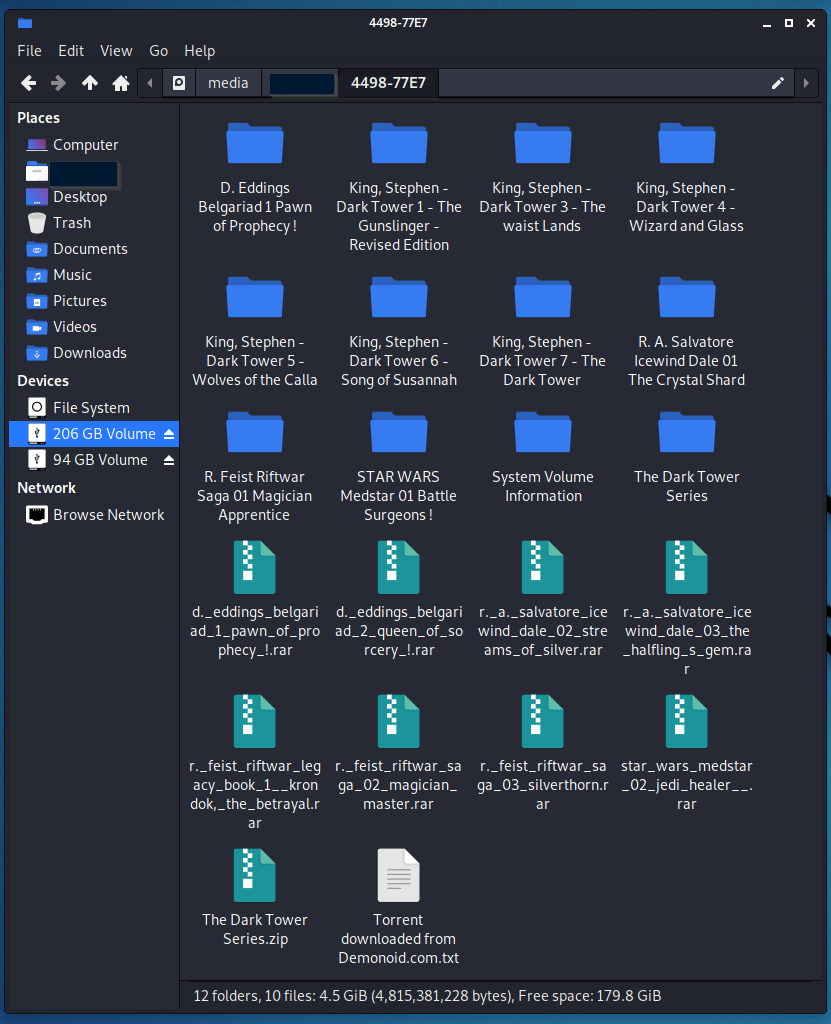
Grabbing a screwdriver I pop the enclosure open and pull the hard drive out. Connecting it up with a hard drive dock and the Kali machine and … the drive is there … Twice or, 2 partitions. One partition is blank, the other has someone’s downloaded audio books – complete with the torrent files from the download.

The mystery of the silver box is solved! A portable hard drive that someone was using for downloading audio books. The trouble with reading the drive in the enclosure turned out to be components failing in the enclosure (probably why it ended up at a thrift store) but a working SATA hard drive – I am not not much of a fan of the audio book titles, so the drive got a good cleaning before a final destination in the parts bin.

A Browser Based Laptop!?

Back in 2011 Google announced this interesting compute device, a Chromebook, basically a laptop that ran Chrome and Chrome alone. Out of the gate, I thought this was the most pointless idea I had heard of and, at the time, I thought I was justified in that thought. I mean, this was a device with a low power Atom processor who’s purpose was to go on web pages … Com’on, that is what I have a browser on my computer for.

Fast forward a few years and something interesting happened, Android apps on Chrome OS. Now, I am still not drinking the Kool-Aid here, but that device that was could just look at web pages can now use mobile apps, now that might be useful. Turns out a laptop that is just a browser can actually be useful.

Asus C300M

I had one of these little Asus C300M appear in a batch of “broken” machines that I purchased to repair and sell. At the time I did not even consider taking pictures of the damage – the battery was removed and the screen cracked. Of course … the previous owner left their account on it *ugh*.

While I am not going to be ditching my laptop anytime soon, this is an opportunity that I could not pass up and see if I was right way back when these hit the market. The machine was simple to fix, as everything is on a single main board, with memory and storage soldered to the board as expected. A couple of (pricey) replacement parts and quick reset to factory settings later and I have a Chromebook (Pre-Android).

Being essentially a laptop Chrome browser, the first place to start the test drive is definitely web pages. The desktop itself has a task bar at the bottom with the rest of the apps opening up in a menu more Android style. The cool part that I appreciated is that Chrome extensions are supported, meaning that if you have something like an ad blocker or password manager, they are likely to be available on the Chrome book (even one as old as this).

Showing off the apps

Lots of apps to choose from
then there is always Google
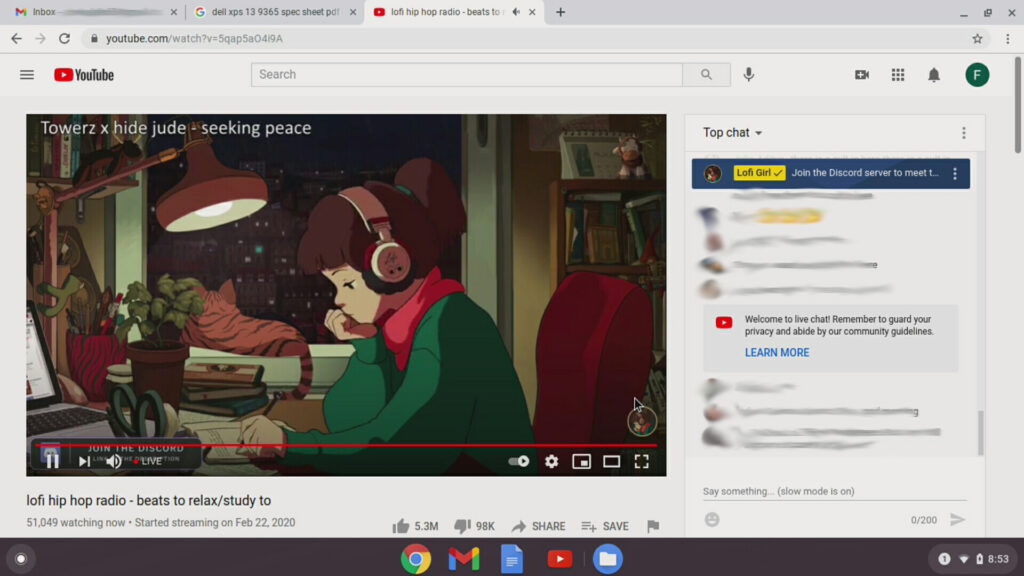
and yes, YouTube

Ok, so the web thing works, that is a good start but what about email? There is a Gmail icon, how does that work? Not quite the way I had hoped, but not terribly bad either.

the icon opens Gmail

So the machine does web, not completely useless and the user experience is more or less seamless. Click on and icon and it does something and simply, just opens. This left me with really only a question of files – what of downloads, PDF’s, Google drive, pictures!

downloads saved to the local device
PDF viewed in Chrome
Google drive? No problem.
how about those pictures
you can plug in USB drives too

This is far from a comprehensive review of a Chromebook, this particular type (the Pre-Android version) is getting older and is not receiving updates anymore. Getting a chance to actually try out this device changed my mind about it being completely pointless… I mean it is still a browser based laptop and I do not plan of giving up my laptop any time soon, but as a device for just casual web surfing or having reference materials on while working on some project – without the fear of damaging an expensive machine should something happen to it – not a bad idea.

Recover all the Things!

Next week I have a special project queued up – an entire week of data recovery. That is I bought a stack of hard drives that were supposedly cleaned and I see how clean they actually were. This is probably one of the nerdiest things I have done for a long while and I am really glad to be done with it, stick around and see why. I have Digital Forensics on my resume, because I was proud that I had taken (and passed) a course in college. In a job interview many years ago, the hiring manager asked why I had that on my resume. At the time I stumbled for an answer, but now I can unequivocally answer – that the next time you think a bit of electronic information is lost that at least 1 person has the knowledge and talent to recover it.

Then again, I am not using just one tool to recover things along the way, but I believe the spirit is the same between the tools … or at least the file recovery ones are concerned. The only difference is that the commercial tool recovers lost files, while the forensics tool ‘carves’ them out. Come back next week for a wild adventure with interesting discoveries to be had.

Tales of eBay – Part 7

We reached the end of this adventure, picking up from Part 6 and the last drive. This drive we are approaching strictly from a Forensics point of view, no file recovery to be had here. Then again, files cannot be recovered if the content of the files are actually trashed as the files on this drive were.

As before, the drive might have appeared blank, but clearly …
Not enough fragments of any kind of files could be found
… But the number of email addresses that were found …

The summation of discovery about this drive brings this experiment to a close, and not a moment too soon. We end up finding just about nothing here, except for a whole lot of email addresses, as opposed to a lot of legal documents. If I were a spammer, I would be in heaven right now with all the potential new addresses to send to.

This little project will come across as rough and amateurish, and for good reason, I started off wanting to answer the question of IF I could find data on hard drives bought off eBay, not what I could find. I found quickly once I got started that the better question was WHAT I could find on the drives and had to refocus more than a few times. Clearly the answer to the original question is, Yes … yes I can find something left behind on a supposedly “clean” drive sold on eBay, and the drives have been either wiped completely or destroyed since I poked around the crumbs left behind and I did not use any of the information that I gathered to look up any of the individuals (aside from the web site in Part 6).

This experience got me to thinking about Insider Threats, how something so simple as throwing out an old hard drive could be huge deal. Granted, not an intentional leak, but imagine what sort of foot hold this might give to a potential bad guy, its frightening and with it being right next to the adult film section – a little disgusting.

The moral of this story is simply this – Cleaning a hard drive before getting rid of it is not hard … and if you cannot clean it, then pull it out of the machine and smash it with a hammer, repeatedly to destroy it.

Tales of eBay – Part 6

Coming into the home stretch now, keeping up from Part 5 and moving onto the next drive. This drive I spent easily the most time on and had to wrangle back in the searching ..

Again connecting the drive to my laptop and autorun opened …
… opened twice actually
And Hex Editor backs up there is data on the drive
Lots of files to recover
… and a bunch of structures to recover
Applying some Forensics this time for a deeper dive and look at more than files
… specifically emails

This drive I spent the most time on, the file carving took nearly 3 days. 67000 images, 876 word documents, 617 pdfs, and 4714 emails of multiple users. Among all those files …

  • Adult Images / Videos
  • Family pictures
  • Pay stubs
  • Bank documents
  • Divorce papers
  • Tax documents
  • Cisco test prep materials
  • Hardware Manuals
  • Network configurations and maps (many years old though)

This was by far the worst drive that I looked at in this little adventure. The fact that the user left adult photos and movies right next to the family pictures is mind blowing to me, but it was the piece de resistance of the whole project. To top it off, this is the 3rd drive out of the stack with the same names attached to it … That is right the drives from Part 4, 5, and now 6 were all from the same person and from a little poking around, this person was an IT Manager, a person who should have known the meaning of data destruction.

5 Down, 1 to go…

Tales of eBay – Part 5

Keeping going from Part 4 yesterday and the next drive off the stack. Things start getting spicy here. Let me get the pictures and I will explain more …

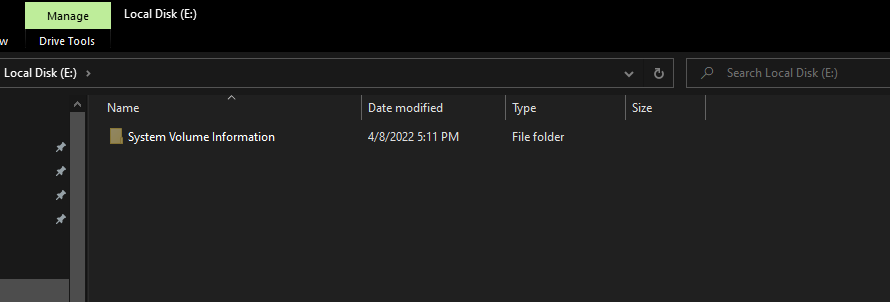
The drive auto ran when it was connected to my laptop and shows very empty
But in past looks with the Hex Editor, there is data
NTFS Recover works its magic and brings back a whole lot of stuff …
… in a only a few drive structures

At this point I stop with the images because from this point, things go down hill very rapidly. This was another drive that I had looked at later in the adventure and became quickly horrified by what I turned up. There was just about no OPSEC (Operation Security, aka “Clean up your stuff”) before this drive was just formatted and thrown up for sale. The quick list of content recovered included …

  • Adult Images / Videos
  • Family pictures
  • Vacation and Holiday event pictures
  • Legal documents from family court
  • Divorce papers and “Sanitized” divorce papers (the names were changed to protect … someone)
  • Tax documents
  • Cisco test prep materials
  • Hardware Manuals
  • Outlook email archives (some were fairly large, over 1+GB)

Honestly, this was not a good discovery and I just kept repeating “Why am I able to see ANY OF this ?!” The part that bothered me the most was that the name I referred to yesterday was the same name that was turning up in these drives. Somehow both these drives are connected to the same person.

5 drives down, 2 to go. This experiment is rough.

PHP Code Snippets Powered By : XYZScripts.com